tcpMDT
Suction Cups and Drains - MDT26
Suction Cups and Drains
 | Command to execute in the CAD |
|---|---|
Vertical menu | MDT26 > Networks > Sections in Profile View > Section Cup and Drainage Report |
Ribbon menu | |
Command line |
This tool will allow us to calculate the points in our pipe grade where the suction cups and drains should be placed.
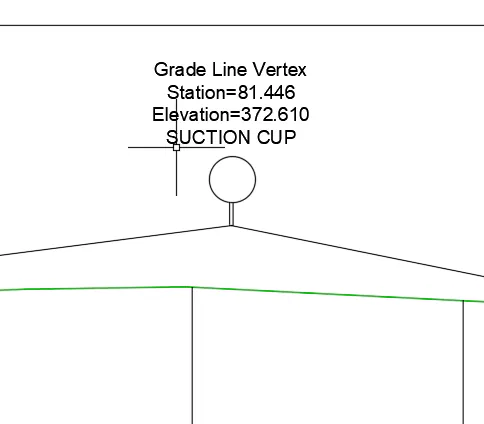
The program will assign a suction cup for each maximum existing in the grade and also for the drains, being in this case the minimums.
When you run this command, you will request the grade either by selecting it from drawing or from a file.
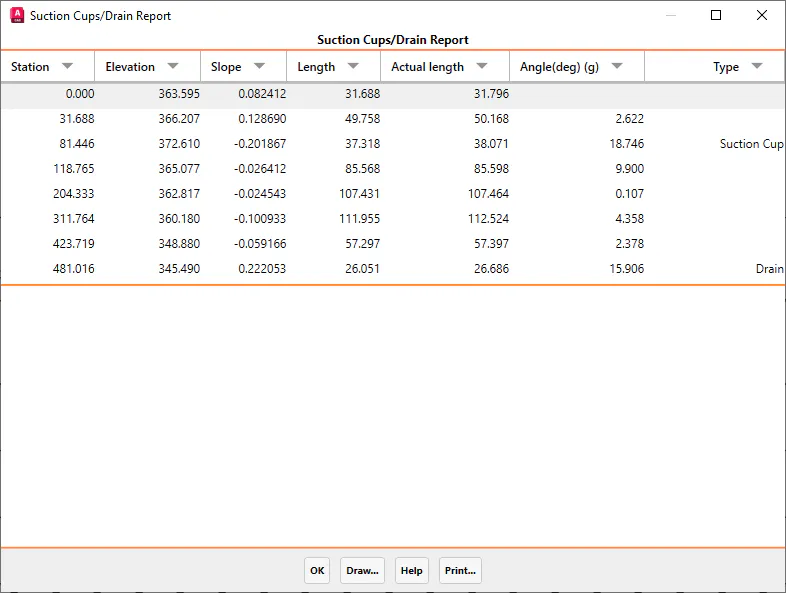
If the grade has been selected in the drawing, we will have the possibility to draw the blocks that represent these characteristic points, for this, in the list, press the "Draw" button and the following window will appear:
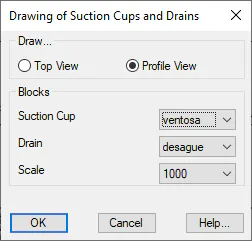
Draw... : Possibility of performing the representation in plan or elevation.
Suction cup: Block that represents the points where the suction cups are located.
Drain: Block that represents the points where the drains are located.
Scale: Scale of insertion of the blocks.