
Support
How can I update a LDK license?
Updating the LDK license on your computer
To update a local LDK license on your computer, follow these steps:
Open the license manager in your browser by going to: http://localhost:1947/_int_/config_network.html
Check that you have a license installed on your computer. It should appear as a Local license from Vendor 2158536. The icon may look like a USB key.
Verify that the EMS URL field shows: https://aplitop.prod.sentinelcloud.com
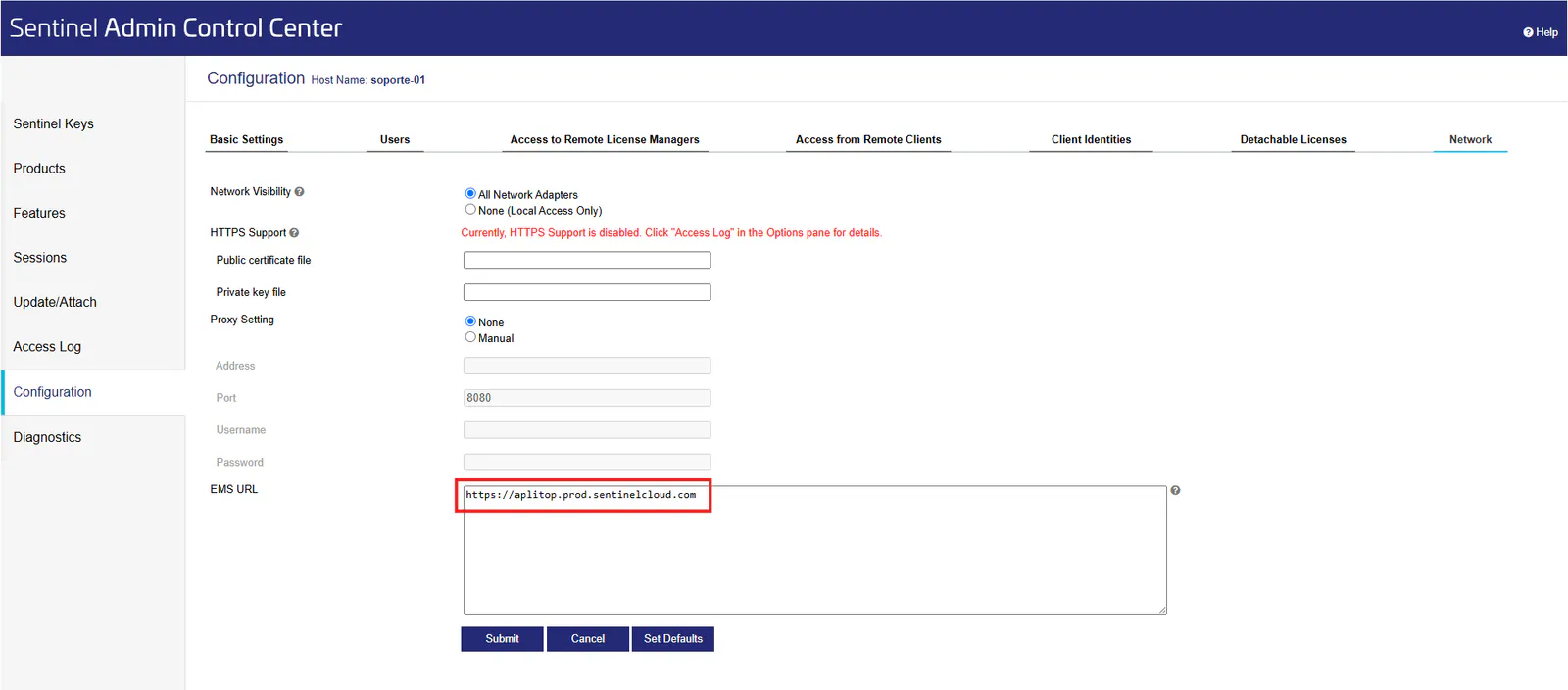
If it is not there, add a new line with the URL above.
Click "Submit" to save the changes and continue with the activation process.
Open the following address in your browser: https://aplitop.prod.sentinelcloud.com/customer/login
Click the bottom button, "Update/Sync Licenses Online."
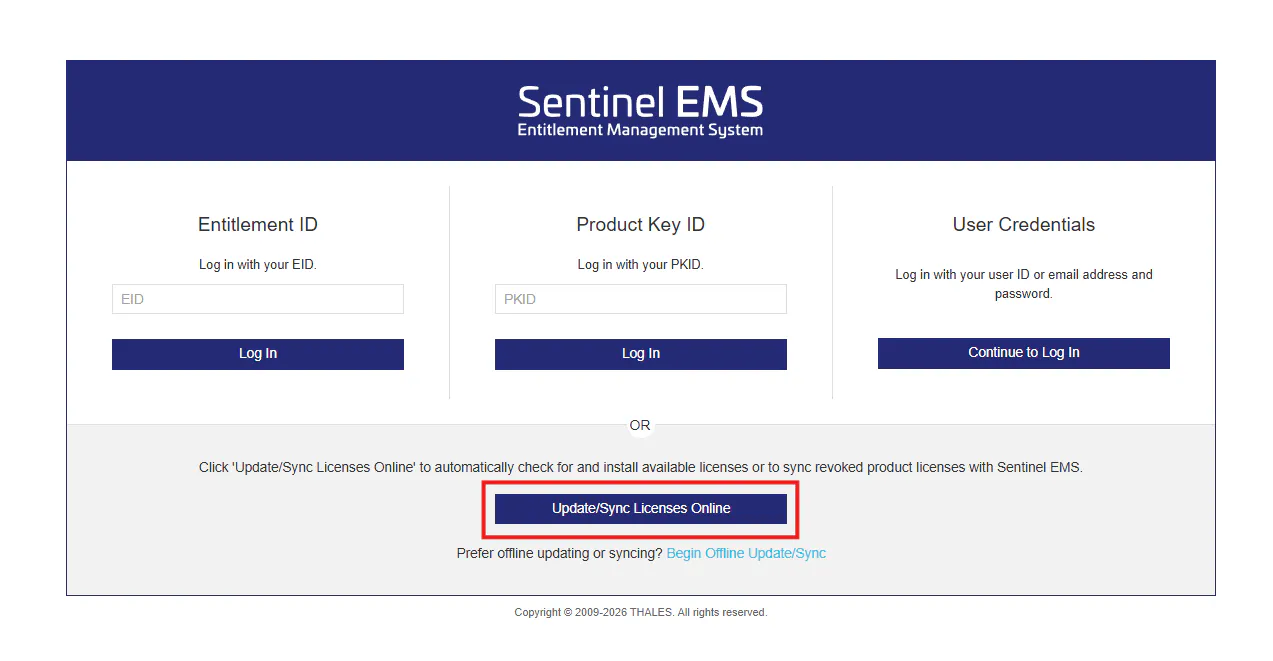
Wait a few seconds; the local license should be updated.
If the licensing system does not match or the error persists, contact Aplitop so they can provide you with a suitable installer or additional assistance.
More information: