
tcpMDT
Generate Video - MDT26
Generate Video
 | Command to execute in the CAD |
|---|---|
Vertical menu | MDT26 > Maps > Generate Video |
Ribbon menu | Maps > Viewer > Generate Video |
Command line |
This command enables us to record a route through a terrain either from a segment provided or by selecting a polyline drawn with the previous command.
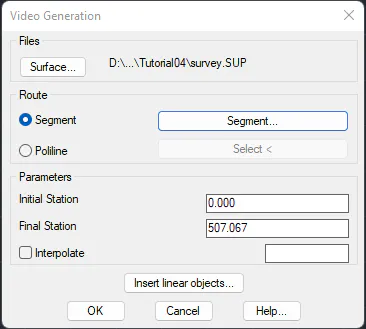
The Surface button enables us to choose the model used to generate the terrain. Under Route we can select the segment or polyline to define the route in question.
The route parameters are as follows:
Initial Station: the point at which the route begins.
Final station: the point at which the route ends.
Interpolate: re-generates the road at the specified interval to improve the accuracy of the road course.
It also has a button to insert linear objects that has been explained in the previous paragraph.
Accepting the window executes the View screen. The video will be shown on the screen while it is being generated, and we can change the viewing point by moving the mouse left, right, up and down.