
tcpMDT
Create from several surfaces - MDT25
11.5 Create from Several Surfaces
With this option we can generate several groups of cross-section profiles from several surfaces. When the command is executed, the program displays the following window to select the surfaces from which to generate the cross-sections.
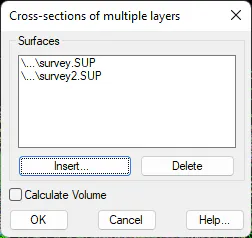
If we select two surfaces, the option Calculate Volume is also enabled, and if it is activated, the program will automatically execute the calculation as a difference of the cross-sections from the profiles generated.
Once the surfaces are selected, the following window will appear for setting the generation parameters.
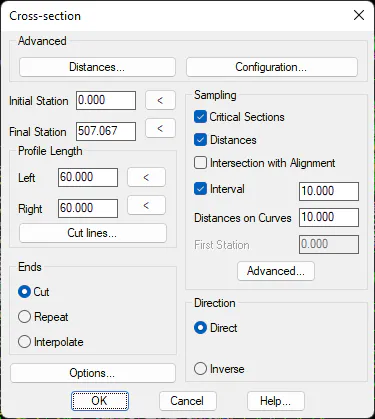
The operating parameters of this window are similar to the command Create Cross-Sections command, with the only difference being that we do not select the surfaces or the name of the cross-section file.
Once this window is validated it generates a cross-section for each surface, using as a name for the cross-section the name of the surface from which it has been generated. If two surfaces have been selected, the option cubic measurement by profiles will automatically appear.