tcpMDT
Merge cross sections - MDT25
11.36 Merge Cross-Sections
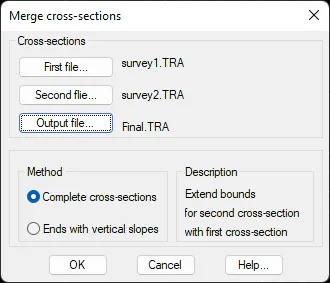
This command is used to merge two cross-sections of different methods. The program will display the following window for specifying the files we wish to merge and the output file for saving the result.
Last, we select the type of merger we wish to carry out between the cross-sections selected:
Complete cross-sections
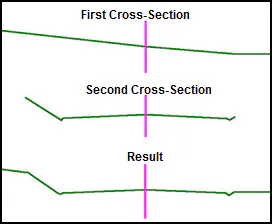
In this case, the second cross-section is inserted in the first cross-section, for which in the first cross-section the vertices common to the second profile are deleted and the second cross-section is inserted.
Ends with vertical slopes
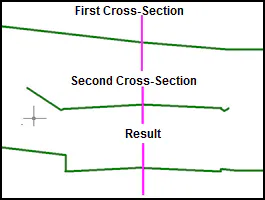
This option's merging process is similar to the previous option with the difference that the merging of the two cuts is done with the vertical slope. This merging is done from the ends of the platform, without having to find the existing ditches or slopes.