tcpMDT
[PRO] Draw Vertical Alignment - MDT26

Draw Vertical Alignment
 | Command to execute in the CAD |
|---|---|
Vertical menu | MDT26 > Vertical Alignments > Draw Vertical Alignment |
Ribbon menu | V.Alignments > Drawing > Draw |
Command line |
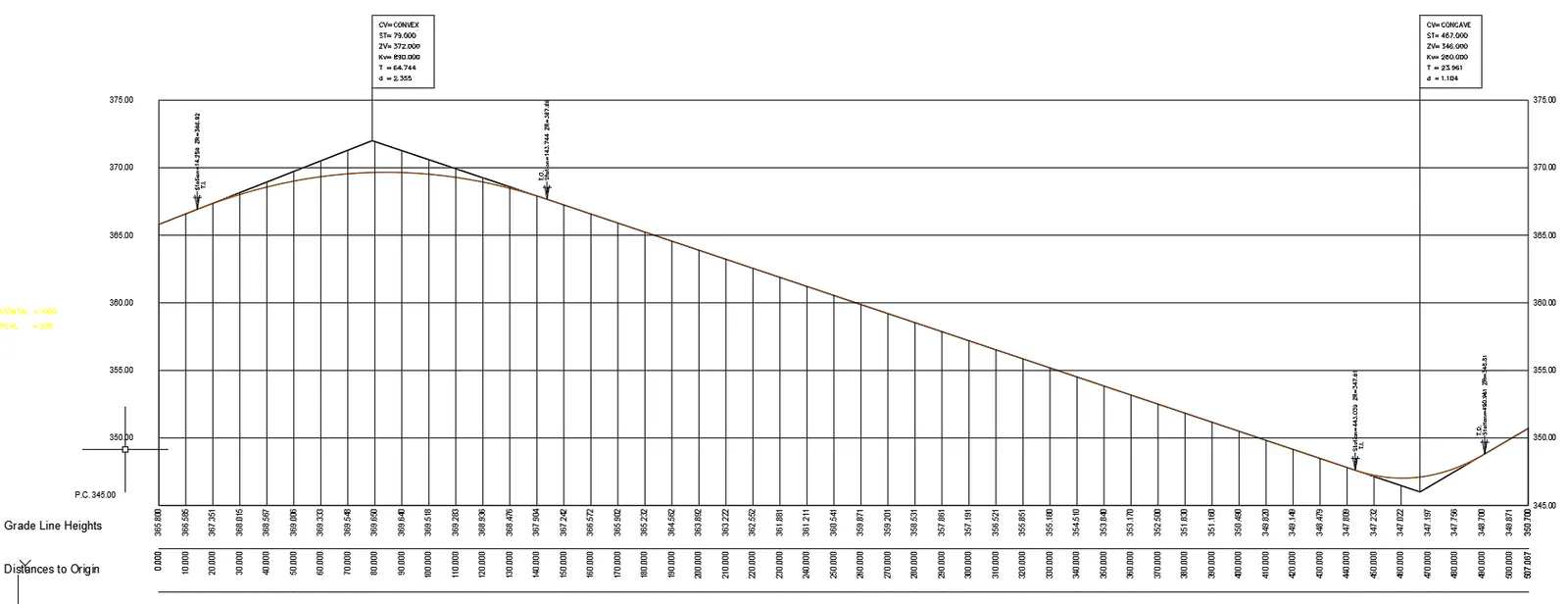
This option is used to draw a vertical alignment without the need for the long section or the corresponding segment.
The functioning of the command is similar to the Draw Simple Long Section and Draw Compound Long Section commands in the Long section menu and allows us, from the vertical alignment file selection, to draw it with the associated numerical data elements.
By default, the compound numerical data is associated (see configuration > Profiles) and only those elements that are related to the vertical alignment to be represented are drawn.