
tcpMDT
[PRO] Vertical Transition Curve - MDT26

Vertical Transition Curve
 | Command to execute in the CAD |
|---|---|
Vertical menu | MDT26 > Vertical Alignments > Vertical Transition Curve |
Ribbon menu | V.Alignments > Edit > Vertical Curve |
Command line |
This command allows us to modify a vertical alignment's transition curves. Once the command has been executed, MDT requests the vertex to be edited and the vertex's characters are displayed, as are those of the previous and next vertex. A description of the dialogue box's characteristics appears below.
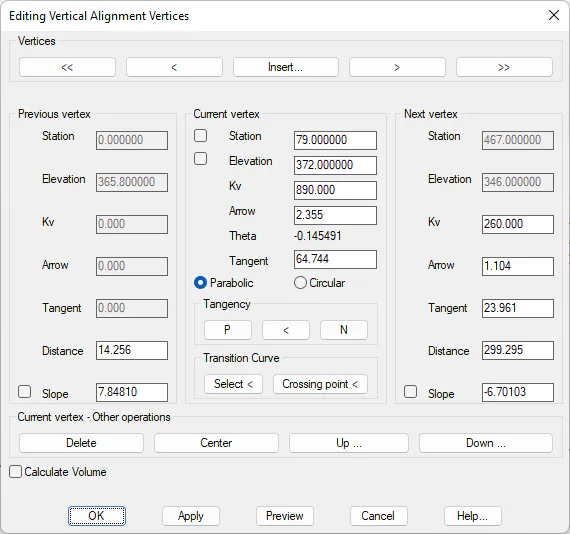
Firstly, one can distinguish three different sections: Previous Vertex, Current Vertex and Next Vertex. Any element of any of the vertices can be modified. The characteristics shared by the three vertices are described below.
Vertices
<< : Offset to the initial vertex of the vertical alignment.
< : Offset to the previous vertex.