
tcpMDT
Vertical Alignments. Introduction - MDT26
Introduction
They involve certain distances to origin and their absolute elevations, with the possibility of linking the vertices by means of parabolic or circular sections (vertical transition curves) which will be defined by any of their components: Kv (parameter of the parabola) or R (radius of the circle), Tangent (length in an orthogonal projection on each of the alignments involved) or Arrow (maximum ordinate at the vertex).
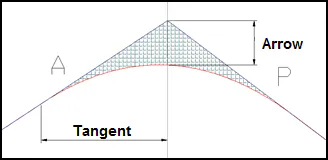
Parabolic or Circular Curves
MDT may work both with parabolic and circular type curves; with this in mind, at the time of defining the vertical alignment, the program asks what type of vertical alignment is going to be worked on.
The necessary formulation is then shown to calculate each of the parabola or circular parameters of each of the vertices.
Types of Vertical Curves
MDT works indistinctly with parabolic or circular curves. When defining the vertical alignment, the program asks for the type of vertical curves to be created.
The equations for the parabolic or circular curves are the following:
**KV / Radius** **Tangent** **Arrow**
Parabolic 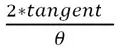

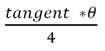
Circular 
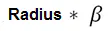

where:

Symmetric and Asymmetric Vertices
Additionally, MDT can work with vertical alignments in which some of its vertices are asymmetric. In this type of vertical curve, the input tangent is different to the output tangent, as shown in the next figure.
The image shows an example of an asymmetric curve with two different parabolas. The parameter of first one is 845 and the second one is 409.634.
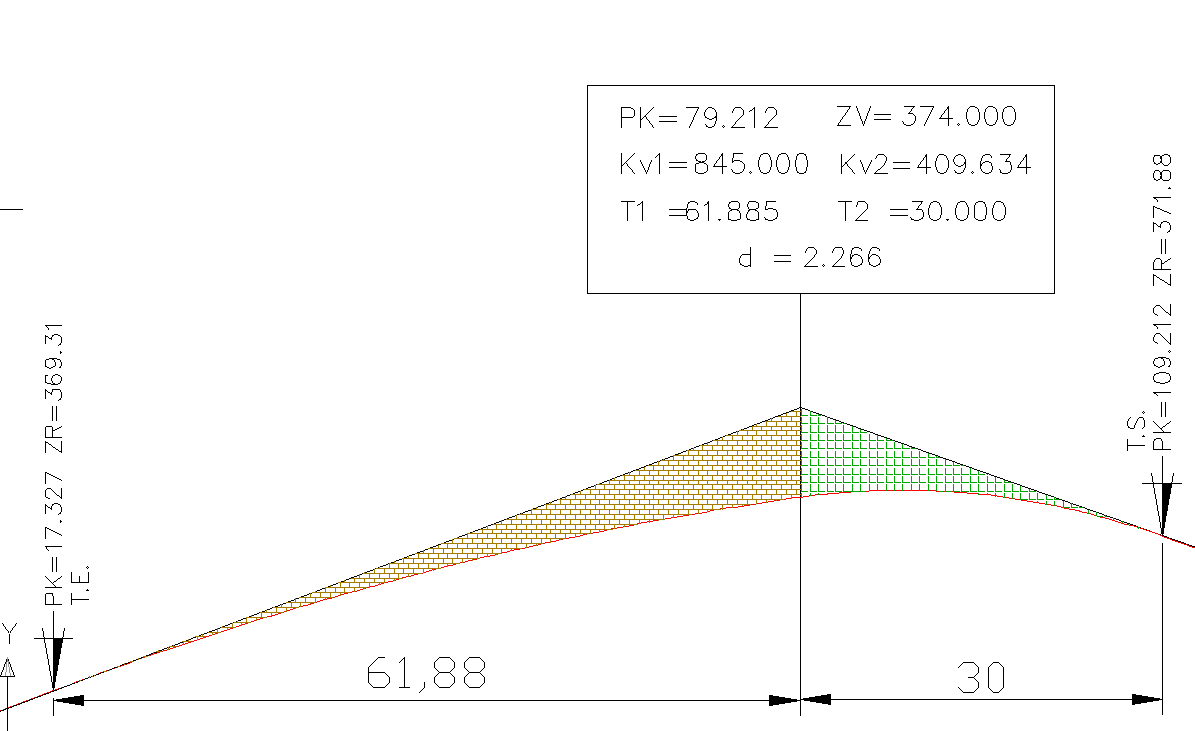
In MDT it's possible to design a vertical alignment in which symmetric and asymmetric vertical curves exist simultaneously.
Asymmetric vertices will be drawn with all information of vertical curve, including data about input tangent and output tangent.
Creation of a Vertical Alignment
A vertical alignment can be created by either converting it from a polyline or defining it using different methods.
Convert Vertical Alignment from Polyline 
Before selecting this command, the current drawing has to have the reference long section represented continuously without it being divided into sheets.
By executing the command initially MDT will request the terrain of the long section over which the vertical alignment is defined. Last, we select the polyline that defines the vertical alignment. When this command is executed, the vertical alignment information is saved in the polyline entity, which can be used with any of the commands in this chapter.
Additionally, if the polyline defined for the vertical alignment exceeds the long section limits either at the start or end of it, the following message will appear for indicating whether we wish the vertical alignment to cut to the longitude of the defined longitudinal.
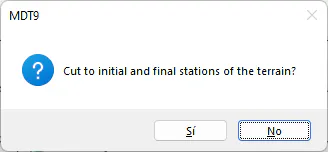
Once the polyline has been converted into a vertical alignment, it is convenient to save the alignments' status in a separate file using the Export Vertical alignment command described below although one may later proceed to match the vertices.