
tcpMDT
Classification Systems - MDT26
Classification Systems
 | Command to run in CAD |
|---|---|
Vertical menu | MDT26 > BIM > Classification Systems |
Ribbon menu | |
Command line |
With this command, we can manage the classification entities that are provided by default when the application is installed.
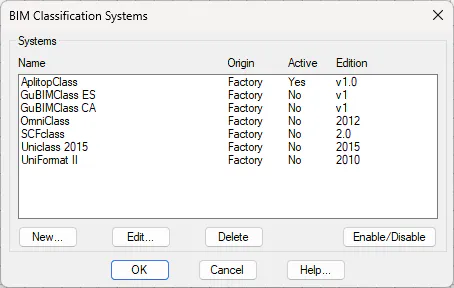
Clicking New allows us to add a new classification entity by importing an XML file and filling in the rest of the relevant information.
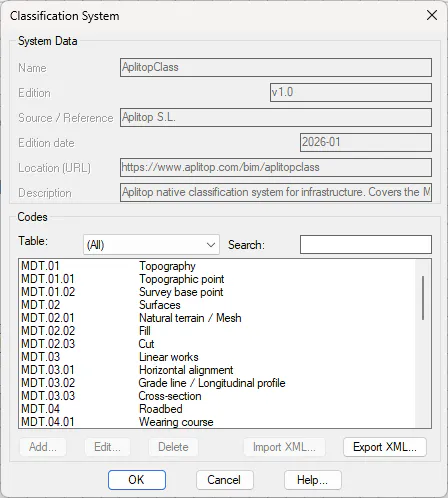
In the Classification System dialog box, as well as adding information about the entity, we can add new Codes, edit them, and delete them, as well as import or export an XML file.
Clicking Edit displays the previous dialog box with the data and codes for the selected entity, where we can add, edit, or delete codes, as well as export XML.
Clicking Delete removes a classification entity from the list.
Clicking Activate/Deactivate sets a classification entity as active or inactive.