
tcpMDT
Manage Issues - MDT26
 | Command to execute in the CAD |
|---|---|
Vertical menu | MDT26 > BIM > Issue Management |
Ribbon menu | BIM > Issues > Manage |
Command line |
Manage Issues
With this option we will have the possibility to edit or delete the issues created with the previous command, likewise, it is also possible to manage BCFZIP files created with other applications.
When executing the command it will initially request a BCFZIP file, once selected, the following window will appear in which you can view the different issues contained in the selected file.
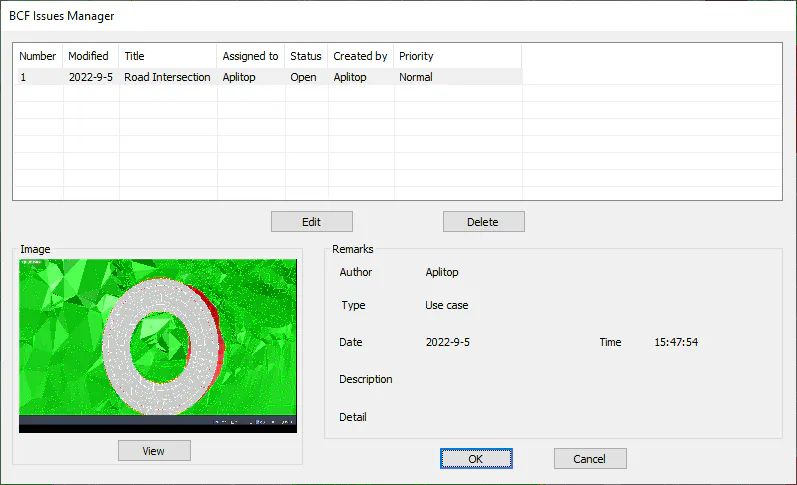
In the upper section of the window the different issues existing in the selected file are displayed and at the bottom the details of the selected issue.
Additionally, with the "Edit" and "Delete" buttons it is possible to manage them, both the editing for the modification of any property of the issue, and the elimination of the selected indexance.