tcpMDT
Adapt to Curve - MDT26
Adapt to Curve
 | Command to execute in the CAD |
|---|---|
Vertical menu | MDT26 > Alignments > Edit Alignment > Adapt to Curve |
Ribbon menu | H.Alignments > Edit > Adapt to Curve |
Command line |
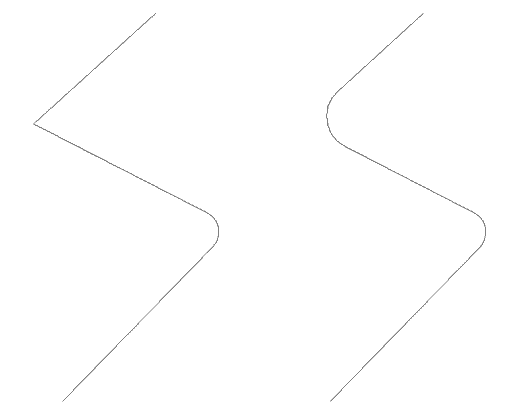
A curve can be fitted between two straight alignments by this option. In order to do so, one must select a point close to the vertex and then enter the radius desired. The program will then automatically draw the new alignment.
If an overlap between alignments is produced, the message "ERROR: Cannot be adapted to curve" will be displayed and a new vertex requested.