tcpMDT
Export Alignment - MDT26
Export Alignment
 | Command to execute in the CAD |
|---|---|
Vertical menu | MDT26 > Alignments > Export Alignment |
Ribbon menu | H.Alignments > Utilities > Export |
Command line |
This command is complementary to Alignments > Import Alignment. In other words, it generates a file in the selected format from a horizontal alignment drawn on screen which will subsequently be used for other commands such as, for instance, defining segments, obtaining profiles, setting out, etc.
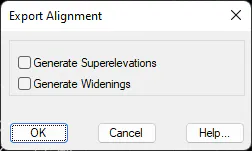
When the command is run, the program requests the horizontal alignment to be selected and then the file explorer is launched with the list of extensions of all the formats to which the axis is allowed to be exported, if we select the extension *. EJE a new dialog box is opened where one can simultaneously Generate Superelevation and Generate Widenings associated to the horizontal alignment, depending on the type of road and the project speed specified when it was created. These will be generated with the same name as the horizontal alignment file, but with their respective extensions (.PER for superelevations and .SOB for widenings).