tcpMDT
Adapt to Line - MDT26
Adapt to Line
 | Command to execute in the CAD |
|---|---|
Vertical menu | MDT26 > Alignments > Edit Alignment > Adapt to Line |
Ribbon menu | H.Alignments > Edit > Adapt to Line |
Command line |
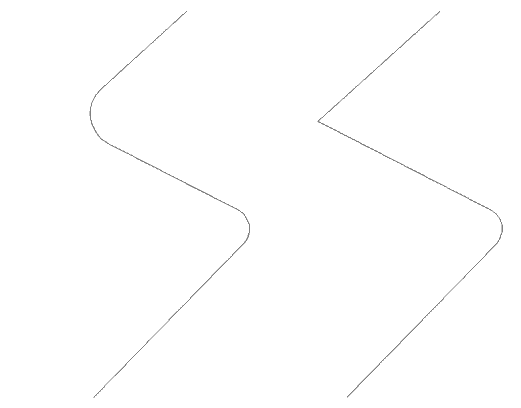
This command converts a arc or clothoid-type alignment into the original state of straight line alignments. It is therefore complementary to the commands described below.
In order to execute the conversion, one only has to select a point belonging to the arc or the clothoid to be deleted.