
tcpMDT
Draw Multiple Long Sections - MDT26
Draw Multiple Long Sections
 | Command to execute in the CAD |
|---|---|
Vertical menu | MDT26 > Profiles > Draw Multiple Long Sections |
Ribbon menu | L.Sections > Drawing > Draw Multiple |
Command line |
This command lets you draw several long sections simultaneously, initially the command will request the files to draw, you can then select them one by one or by multiple selection.
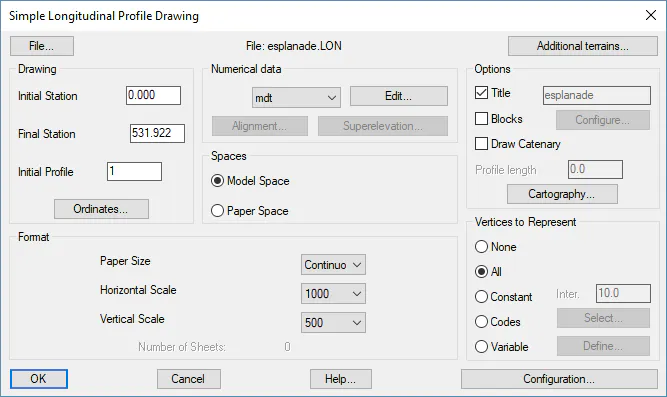
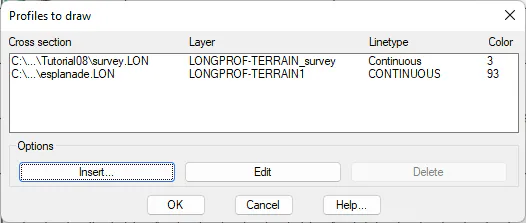
Once selected, the usual drawing dialogue box will appear, previously connected to the Draw Simple Profile command, with the difference being that if you select Additional terrains, you will see the selected files as well as their drawing configuration.
By validating the dialogue box, it will request you to designate a point on the screen where the drawing will be made.