
tcpMDT
Enter Profile - MDT26
Enter Profile
 | Command to execute in the CAD |
|---|---|
Vertical menu | MDT26 > Profiles > Create Profile > Enter Profile |
Ribbon menu | L.Sections > Create > Enter |
Command line |
Possibility of entering or modifying a long section, element by element. Once this command has been executed, .LON file will be requested. Then a dialog box will be displayed containing the profile's data should it exist or empty if no data has yet been entered.
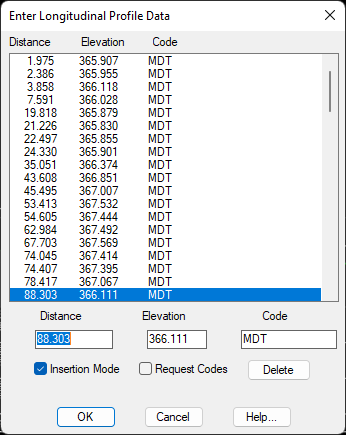
Insertion Mode: If this is not activated, the cut selected will be changed for the one entered using the keyboard. If it is selected, a new cut will be entered with the data entered using the keyboard.
Request Codes: If it is not activated, it will not request the code, so it has to be typed in, and the code of the previously selected cut will automatically be assigned. If, on the other hand, it is selected, the code has to be typed in using the keyboard.
Delete: Deletes the element marked on the list