
tcpMDT
Move Elevations - MDT26
Move Elevations
 | Command to execute in the CAD |
|---|---|
Vertical menu | MDT26 > Profiles > Edit > Move Elevations |
Ribbon menu | L.Sections > Edit > Move Elevation |
Command line |
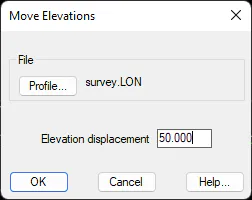
This option works in the same way. After selecting the long section file, a value to be added or subtracted from all the heights in the file is entered.
Example: Long section before and after applying an elevation displacement of +50.0 m
0.000 42.559 | 0.000 92.559 |
|---|---|
10.000 42.637 | 10.000 92.637 |
20.000 42.145 | 20.000 92.145 |
30.000 42.232 | 30.000 92.232 |
40.000 42.749 | 40.000 92.749 |
50.000 45.237 | 50.000 95.237 |
60.000 47.655 | 60.000 97.655 |
70.000 49.836 | 70.000 99.836 |
80.000 51.061 | 80.000 101.061 |
90.000 52.716 | 90.000 102.716 |
94.279 52.400 | 94.279 102.400 |