tcpMDT
Concatenate Cross Sections - MDT26
Concatenate Cross-sections
 | Command to execute in the CAD |
|---|---|
Vertical menu | MDT26 > Cross-sections > Utilities > Concatenate Cross Sections |
Ribbon menu | X.Sections > Utilities > Concatenate Cross Sections |
Command line |
This program option enables merging a set of cross-section files into one only. It is ideal if we have a road divided into several groups of cross-section files and we want to join them in a single file.
First the command requests the cross-sections file folder and then the name of the new cross-section file to generate.
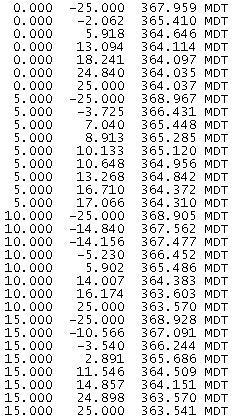
If there are station overlaps between some of the cross-section files, the overlap information in question will, in the final cross-section file, be the result of merging all the common stations.
File1 File 2
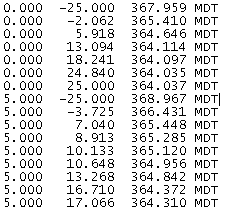 | 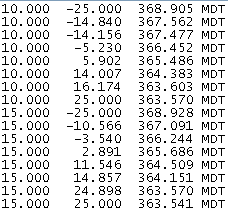 |
|---|---|
Output File