
tcpMDT
Draw Skewed Cross Sections - MDT26
Draw Skewed Cross-sections
 | Command to execute in the CAD |
|---|---|
Vertical menu | MDT26 > Cross-sections > Drawing > Draw Skewed Cross-Sections |
Ribbon menu | X.Sections > Drawing > Draw Skewed |
Command line |
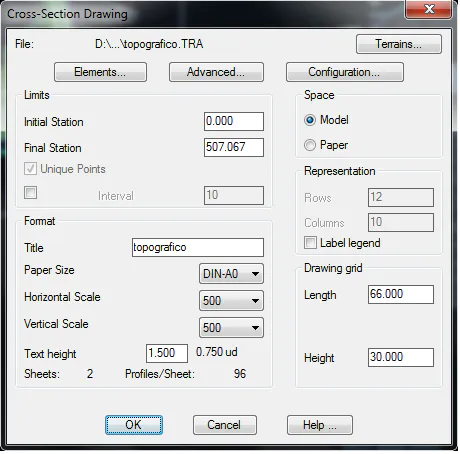
This option enables drawing the sections of the skew cross-sections that we have generated with the corresponding command. When the command is executed, it will request the segment file associated to the skew cross-sections file, then the following window will be displayed for configuring the profiles drawing. See description of this window in Draw Long Sections command.
Once the drawing is done, it is possible to check whether the dimensions of the section associated are variable in terms of the skew of each cut of the skewed cross-sections inserted in the segment.