tcpMDT
Superelevations - MDT26
Superelevations
Shows the parameters affecting the calculation and assignment of superelevations to alignments. See the Segments > Superelevation > Generate Superelevations command for further details.
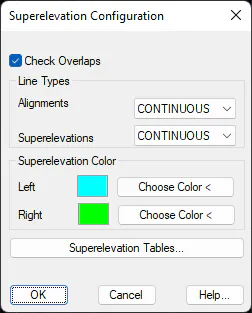
Generation of Superelevations
Check Overlaps (On). If activated, indicates that any overlapping due to the transition lengths of short alignment sections should be processed to avoid inconsistencies in the assignment of superelevations.
Line Types
Horizontal Alignments: In the drawing of the superelevation in CAD, the type of line associated with the line representing the horizontal alignment.
Superelevation Color. Allows different colors to be set for Left and Right superelevations.
Superelevation Color
Left: The color of the line in the drawing of the left side of the superelevation.
Right: The color of the line in the drawing of the right side of the superelevation.
Superelevations Tab
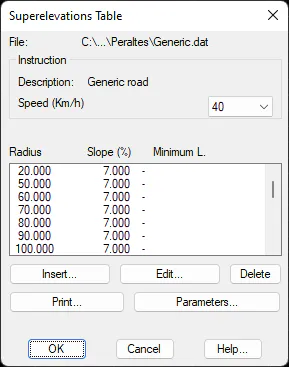
Clicking on this tab enables us to access the configuration of the different superelevations tables in accordance with the regulations for the road selected.
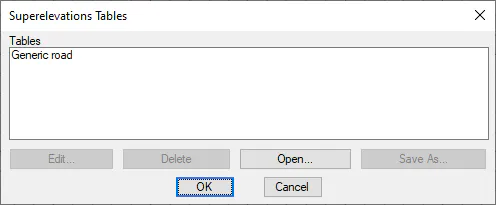
The existing superelevations tables may be inserted, edited and deleted.