tcpMDT
Dividing by Facade Length - MDT26
Dividing by Facade Length
 | Command to execute in the CAD |
|---|---|
Vertical menu | MDT26 > Plots > Divide > Divide by Facade Length |
Ribbon menu | Plots > Divide > By Length Facade |
Command line |
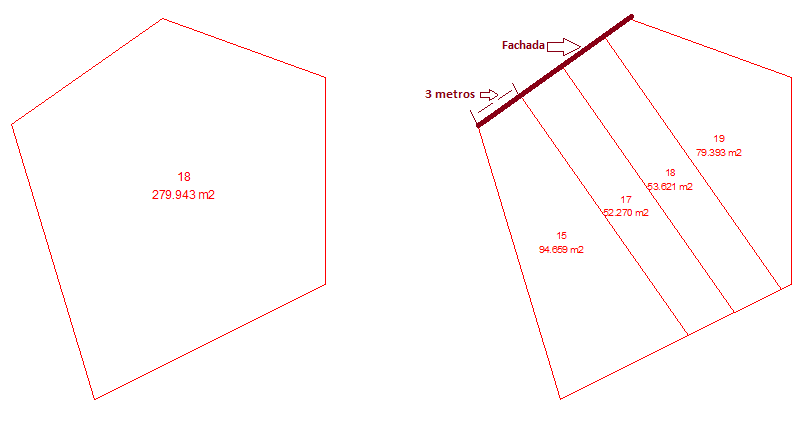
With this division method you will be able to divide a plot into several plots, which will be perpendicular to one of the sides of the selected plot. The steps to follow are
Select the plot.
Select the side or facade from which the plot will be built perpendicularly
Indicate the method to create the plots:
Number: Enter the number of plots in which you want to subdivide the selected plot, according to the length of the facade.
Length: Length of the facade from which you want to create the plots, and which side will be shared with the facade of the designated plot.
In the following screenshot you can see the subdivision of a plot, the shared side with the facade is 3 meters.