tcpMDT
Dividing by Polyline - MDT26
Dividing by Polyline
 | Command to execute in the CAD |
|---|---|
Vertical menu | MDT26 > Plots > Divide > Divide by Polyline |
Ribbon menu | Plots > Divide > Divide by Polyline |
Command line |
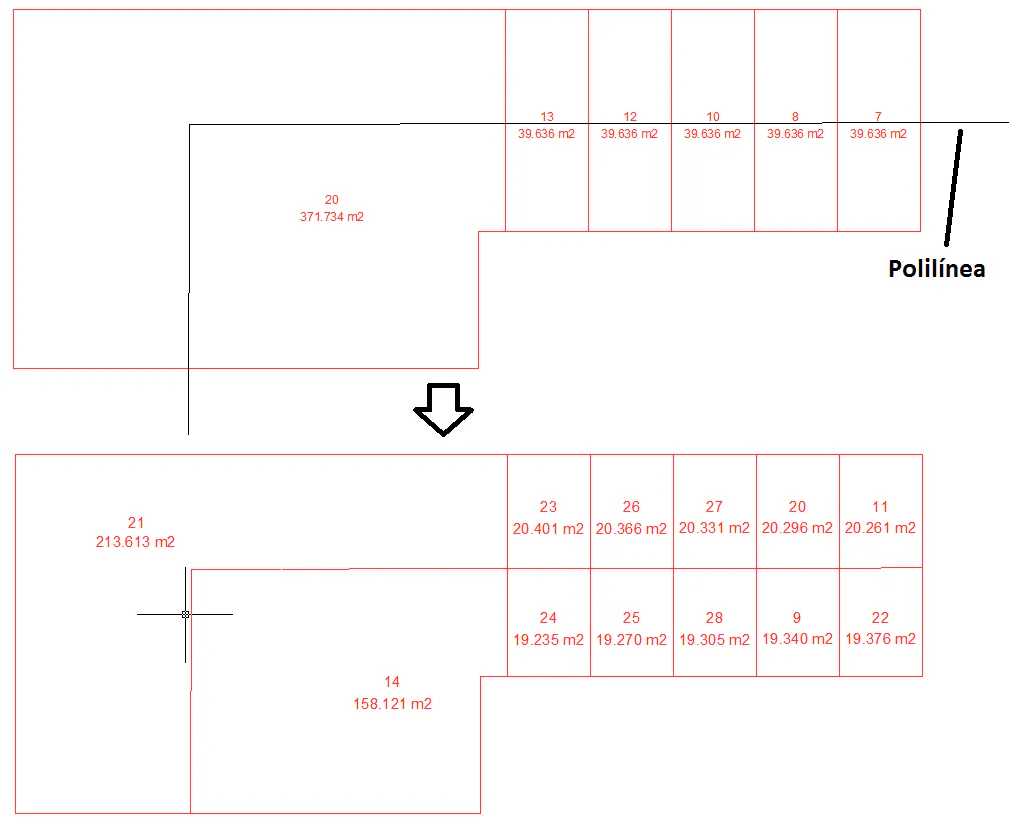
Divide one or more plots by the polyline that intersects them. The steps to follow are:
Select the desired plots. The selection can be multiple or single. Once finished, press the Esc key or right click on your mouse.
Select the polyline that intersects the plots.
In the following image you can see how a set of plots are divided automatically from the intersecting polyline.