tcpMDT
Plot Plans - MDT26
 | Command to execute in the CAD |
|---|---|
Vertical menu | MDT26 > Plots > Utilities > Plot Plans |
Ribbon menu | Plots > Utilities > Plot Plans |
Command line |
Plot Plans
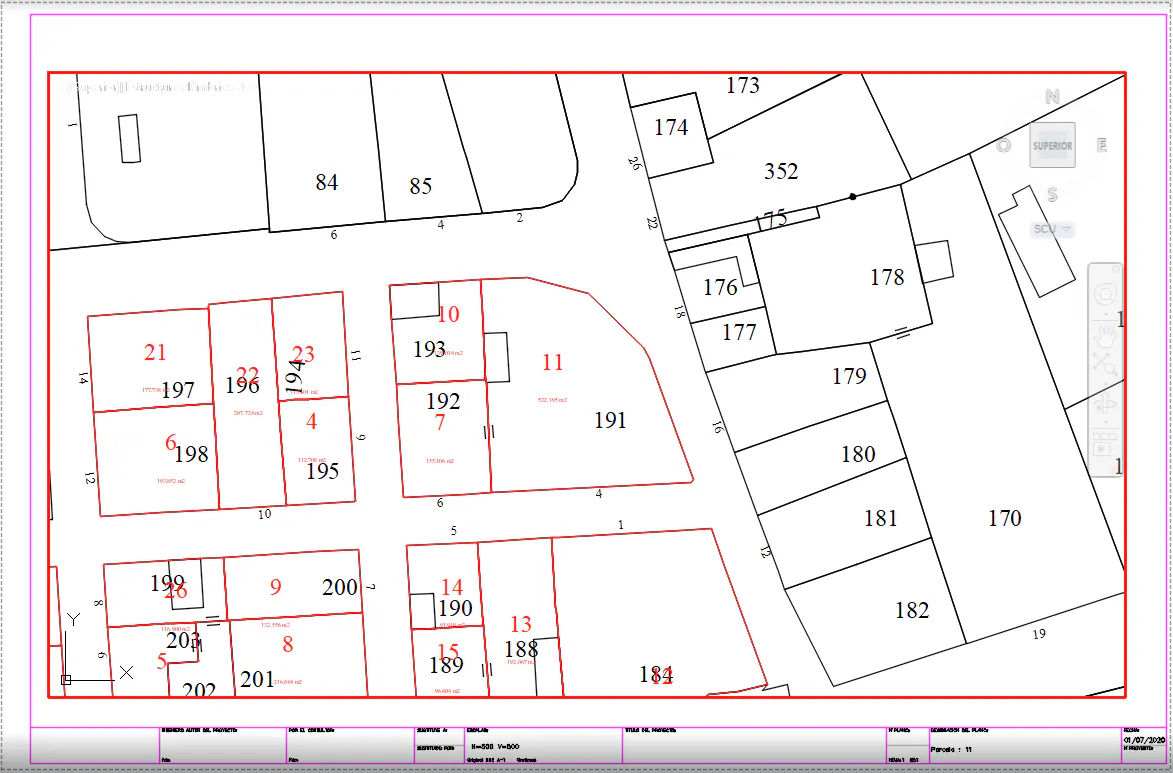
This command will enable us to represent the selected plots on a sheet of paper and in a specific format. The following dialogue box will appear on executing this command:
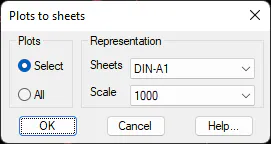
We can specify all the plots or designate one graphically. A sheet of paper will be created with each of the selected plots. The name of the sheet of paper will be the name of the plot.
In the event the sheet of paper already exists, the program will notify us and ask if we wish to overwrite.
Representation
Sheets: Selection of the paper format in which we are going to execute the presentation.
Scale: The desired drawing scale in the representation of the plan.
Once the dialogue box has been checked, a sheet of paper will be created for each plot selected.