
tcpMDT
Change Layer - MDT26
Change Layer
 | Command to execute in the CAD |
|---|---|
Vertical menu | MDT26 > Points > Edit Points > Change Layer |
Ribbon menu | Points > Edit > Change Layers |
Command line |
Initially, the program draws all the surveying points on the same layer. A group of points can be selected with this command. They can also be placed in a different layer. Belonging to a specific layer is independent of its influence on the digital model that is controlled by levels.
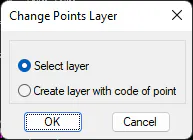
This command has two operating modes. The first is used to select a layer, to which the points selected will be copied.
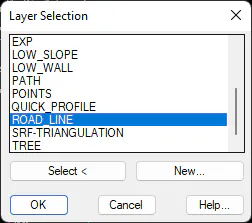
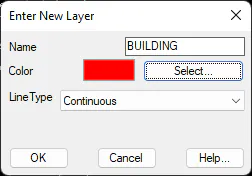
Should one wish to generate a new layer, the New button should be clicked and then the following window is displayed. The layer's Name, Color and Line Type are set in this window.
In the second mode, with the list of points selected the program uses the point code as the name for the layer. Layers that do not exist are automatically created.
Apart from using this command, the layer of a point can also be changed using CAD's own tools.