tcpMDT
Change Uncertainties - MDT26
Change Uncertainties
 | Command to execute in the CAD |
|---|---|
Vertical menu | MDT26 > Points > Edit Points > Change Uncertainties |
Ribbon menu | Points > Edit > Change Uncertainties |
Command line |
This command enables us to edit or delete the uncertainties associated with the points in a drawing. A window appears with the total number of points in the drawing, stating how many of them have been assigned uncertainties.
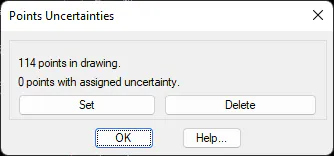
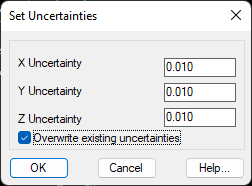
The Set button enables us to associate uncertainties with a selection of points, with the option of preventing them from overwriting existing uncertainties. A window appears requesting the new uncertainties and a selection of points on which to operate.
The Delete button requests confirmation, enabling us to remove the uncertainties from a series of points.