tcpMDT
Information - MDT26
Information
 | Command to execute in the CAD |
|---|---|
Vertical menu | MDT26 > Points > Information |
Ribbon menu | Points > Operations > Information |
Command line |
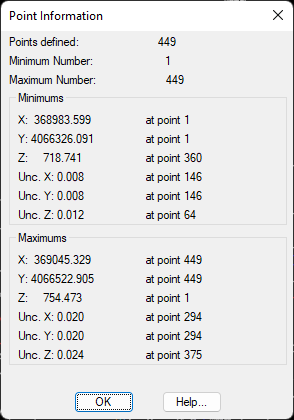
Executing this command provides general information about the points contained in the current drawing through the corresponding dialog box. In it one can view the maximum and minimum values of the X, Y, Z coordinates, the point number that identifies them, total number of points, etc.
It is very useful to locate points having invalid elevations or out-of-range coordinates.
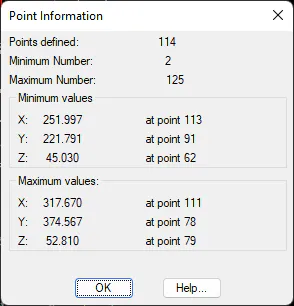
Moreover, if the points have assigned uncertainties, the minimum and maximum values of each of the uncertainties on the X, Y and Z axes are displayed.