
tcpMDT
Label Points - MDT26
Label Points
 | Command to execute in the CAD |
|---|---|
Vertical menu | MDT26 > Points > Label Points |
Ribbon menu | Points > Export > Label |
Command line |
This command allows one to create a list of the points selected and insert it in the current drawing. In order to do so, the Label Points window appearing below should be completed.
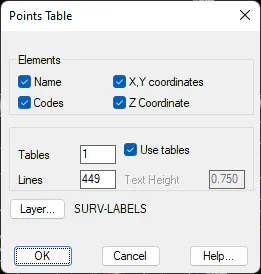
The elements that will be shown on the table are set in this window, including point Name, Codes and X, Y, Z coordinates. One can also indicate whether the list will be shared out among various Tables. When this parameter is changed, the number of Lines each table will contain is automatically calculated. Lastly, a Text Height value is entered, and the layer and style to be used are set.
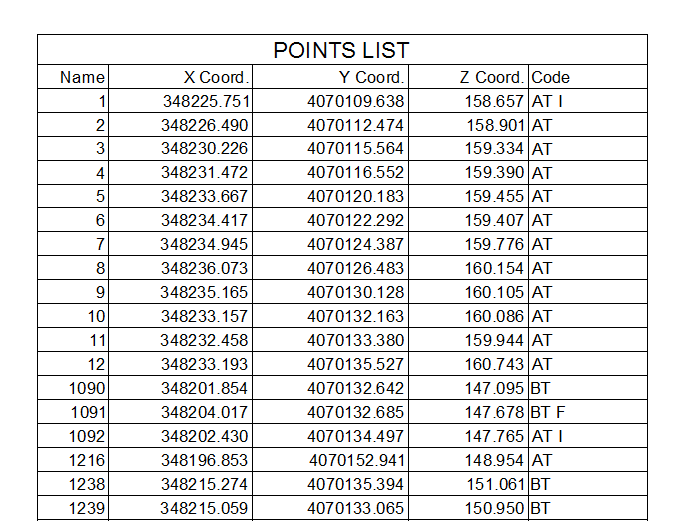
In AutoCAD version 2005 and later, a single AutoCAD table-type object is created if the list is not divided into various tables. The table's appearance is affected by the table's default style assigned in the drawing. In other versions, the table is made up of traditional texts and lines.